> ## Documentation Index
> Fetch the complete documentation index at: https://docs.dmarceye.com/llms.txt
> Use this file to discover all available pages before exploring further.
# Setting up alert
*DMARCeye offers a simple but powerful alert system to help you stay on top of potential issues with your domain’s DMARC compliance.*
## **What Alerts Do**
Alerts notify you when there is a sudden drop in compliance across your monitored domains. This helps you act quickly if something goes wrong — like a misconfigured sender or a new phishing attempt.
 ## **How It Works**
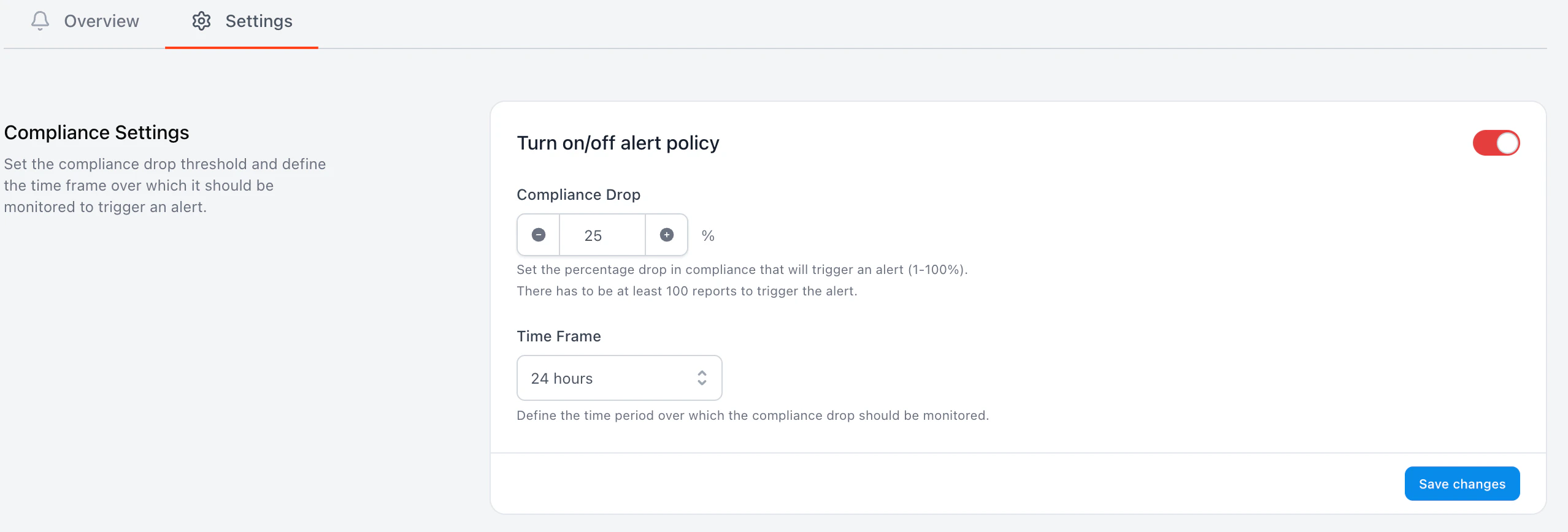
You can set:
* Compliance Drop Threshold — the percentage drop that should trigger an alert (e.g. 25% drop).
* Time Frame — the period over which the drop is measured. Options currently include:
* 24 hours
* 48 hours
* 1 week
These thresholds apply across your account, but are calculated individually for each domain.
> 📌 **Example**: If one of your domains drops from 90% to 60% compliance in the last 24 hours, you’ll get an alert for that domain — even if others remain stable.
## **Viewing Alerts**
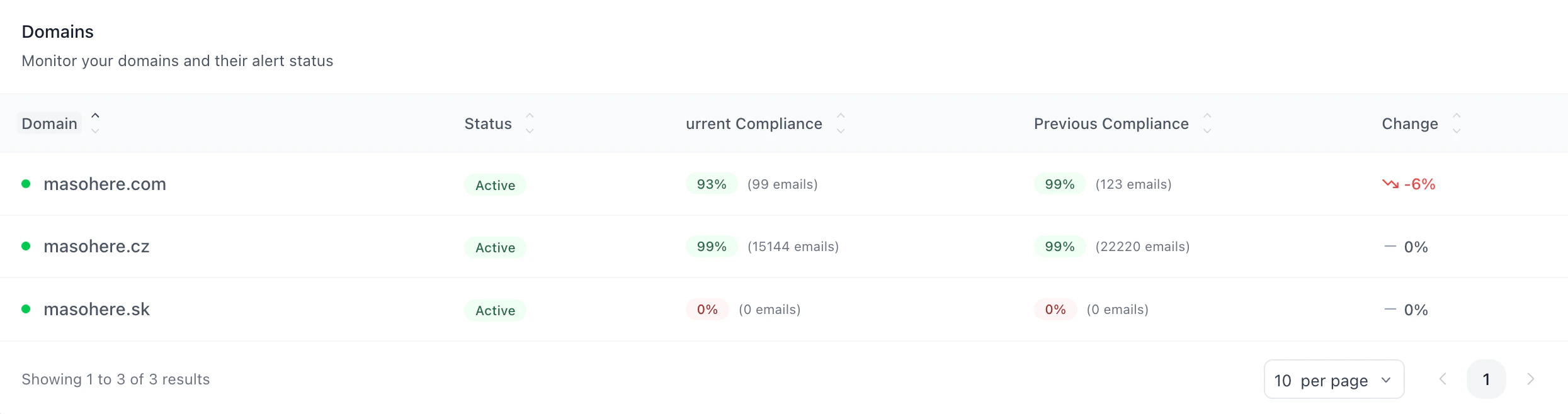
Go to the Alerts tab in the sidebar to see:
* A list of domains where alerts were triggered
* Current compliance for each domain
* The size of the drop (in %)
* A link to view full reports
When everything is fine, you’ll see a message like: “No Alerts detected. All of your domains are running. Good job!”
## **How It Works**
You can set:
* Compliance Drop Threshold — the percentage drop that should trigger an alert (e.g. 25% drop).
* Time Frame — the period over which the drop is measured. Options currently include:
* 24 hours
* 48 hours
* 1 week
These thresholds apply across your account, but are calculated individually for each domain.
> 📌 **Example**: If one of your domains drops from 90% to 60% compliance in the last 24 hours, you’ll get an alert for that domain — even if others remain stable.
## **Viewing Alerts**
Go to the Alerts tab in the sidebar to see:
* A list of domains where alerts were triggered
* Current compliance for each domain
* The size of the drop (in %)
* A link to view full reports
When everything is fine, you’ll see a message like: “No Alerts detected. All of your domains are running. Good job!”
 ### **Domain-Level Control**
Although the alert policy is set globally, you can turn off alerts for specific domains. Just go to the domain’s notification settings and disable alert notifications there.
### **Domain-Level Control**
Although the alert policy is set globally, you can turn off alerts for specific domains. Just go to the domain’s notification settings and disable alert notifications there.